
Best Free AI Marketing Tools: 15+ Picks You Can Use in 2026
You don’t need a budget to start marketing with AI. The best free AI marketing tools cover content, design, social, video, analytics, and automation, all on genuine free plans, not disguised trials. This guide breaks them down by category, spells out exactly what each free tier includes, and shows how to combine them into a zero-cost marketing stack.

Nearly 85% of marketing teams that use AI report ChatGPT as their most-adopted tool, and free plans from Buffer, HubSpot, and Canva already cover most of what a small business needs day to day. Below you’ll find free AI tools for digital marketing organized by category, the real usage limits behind each one, and a clear signal for when it’s time to upgrade.
Why Use Free AI Marketing Tools
A free AI marketing tool is simply a type of AI marketing tool that runs on a no-cost tier rather than a paid subscription — same underlying technology, narrower usage caps. That distinction matters because freemium software has become the default distribution model for AI products: companies give away a functional core to build habit and upsell power users later, a pattern documented on Wikipedia’s Freemium entry. For a solo marketer or a two-person startup team, that free core is often enough to run real campaigns.
Free tiers are genuinely useful now
These aren’t seven-day trials designed to expire before you finish onboarding. ChatGPT’s free tier, HubSpot’s free CRM, Canva’s free design tools, and Buffer’s free social scheduler all let you do real, ongoing work with no card on file. Marketing-team surveys back this up:
111 of the 132 marketers we surveyed who use AI — 84.7% — said their teams use ChatGPT, making it the most widely adopted AI tool by a landslide.
Brafton — The AI Tools Marketers Actually Use
That single data point explains why almost every free AI marketing stack starts with a chatbot for content and strategy, then layers in specialized tools for design, scheduling, and automation.
What “free” really means (the catch)
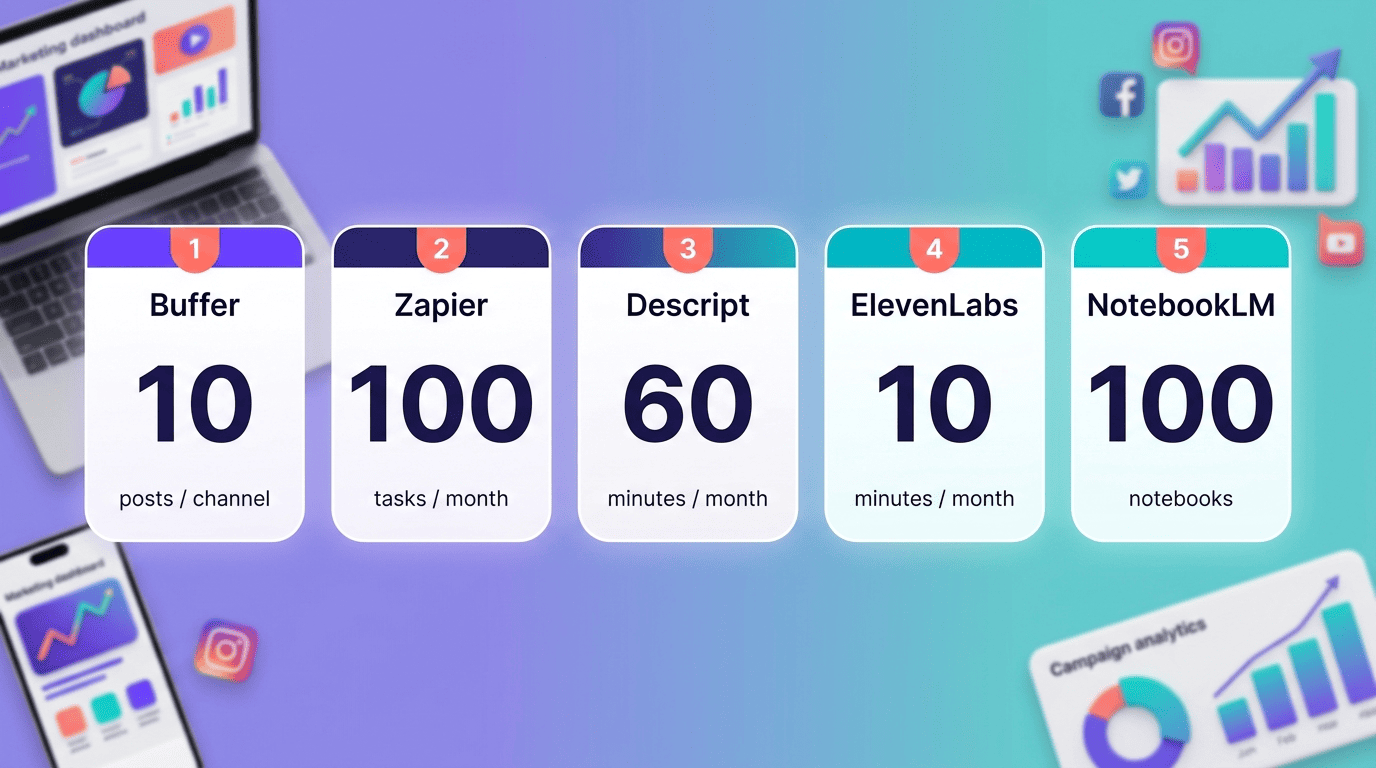
Free doesn’t mean unlimited. Every serious free AI marketing tool draws a line somewhere — a monthly credit cap, a minutes-per-month ceiling on audio or video, a watermark on exports, or a hard limit on how many channels or seats you can connect. Descript’s free plan, for example, gives you one hour of transcription per month and 720p video exports that carry a Descript watermark; ElevenLabs caps free voice generation at around 10 minutes monthly. Knowing the exact limit before you build a workflow around a tool is what keeps you from getting stuck mid-campaign and forced into an unplanned upgrade.
Best Free AI Tools by Category
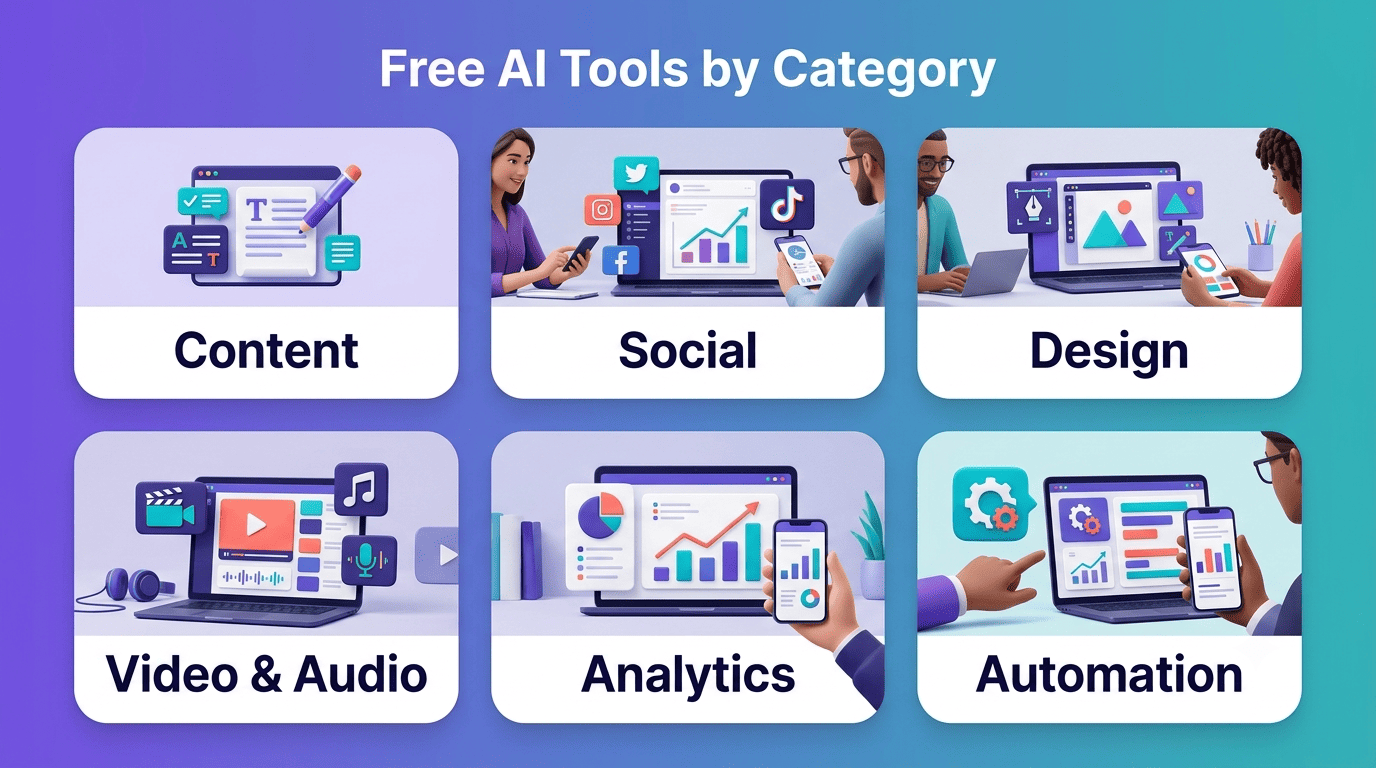
Free AI tools for marketing split cleanly into six functional categories. Most small teams end up running one free tool per category rather than searching for a single all-in-one platform, since freemium AI tools tend to specialize rather than bundle everything under one free ceiling.
- Content & copywriting — drafting, editing, and campaign ideas
- Social media management — scheduling and post generation
- Design & visuals — graphics, logos, and image generation
- Video & audio — transcription, voiceover, and short-form editing
- Analytics & research — traffic insights and source-based research
- Automation & CRM — connecting apps and managing leads
Content & copywriting (free)
ChatGPT’s free tier is the workhorse for strategy, drafts, and idea generation. It handles blog outlines, ad copy variations, email sequences, and campaign brainstorming without a subscription, which is exactly why nearly 85% of marketing teams that use AI say ChatGPT is their most-used tool. Copy.ai’s free plan adds templated copywriting workflows for shorter-form content like product descriptions and social captions. Grammarly’s free tier rounds out the stack as an editing layer, catching tone, clarity, and grammar issues before anything ships. You can read what the free ChatGPT tier currently includes directly on OpenAI’s official ChatGPT page.
Social media management (free)
Buffer’s free plan covers 3 connected channels and 10 scheduled posts per channel, plus roughly 100 AI-generated post ideas to keep a content calendar moving without paying for a scheduler. Publer’s free tier is similar in shape — 3 accounts and 10 posts — with its Professional plan starting around $4-5 per month per account (billed annually) once you outgrow that. Canva rounds out this category by generating the social graphics themselves, which then get scheduled through Buffer or Publer.
- Buffer free: 3 channels, 10 posts per channel, ~100 AI post ideas
- Publer free: 3 accounts, 10 posts, Professional plan from ~$4-5/month/account
- Canva: free social graphic templates and Magic Studio design tools
- Grammarly: free tone and grammar editing across all written output
Design & visuals (free)
Canva’s Magic Studio free tier gives small businesses AI-assisted design — background removal, text-to-image, and template resizing — without a subscription. Looka takes a different approach: logo generation itself is unlimited and free, and you only pay when you actually download a usable file. Adobe Firefly issues a monthly allotment of free generative credits for images and text effects, which is enough for occasional campaign assets even without a Creative Cloud plan.
- Canva Magic Studio: free templates, background removal, text-to-image
- Looka: unlimited free logo generation, pay only to download
- Adobe Firefly: monthly free generative-credit allotment
Video & audio (free)
Video and audio tools carry the tightest free limits of any category, so track them closely. Descript’s free plan includes one hour of transcription each month, plus 720p video exports that carry a Descript watermark (watermark-free export requires a paid plan). ElevenLabs’ free voice tier allows roughly 10 minutes of AI-generated audio monthly — enough for short ad voiceovers but not a full podcast. Runway issues 125 one-time credits on signup rather than a recurring monthly allowance, so they’re best spent on a single polished project. Gamma, used for AI-built presentations and one-pagers, gives 400 AI credits to work with on its free tier.
Here’s a quick step-by-step way to test this category without wasting limited credits:
- Pick the single video or audio asset you actually need this month (not a batch).
- Draft the script or outline outside the tool first, so you’re not burning minutes on editing inside Descript or ElevenLabs.
- Record or generate the raw asset in one pass.
- Use Descript’s free hour for transcription and cleanup, not repeated re-recording.
- Export once at 720p, and budget for the Descript watermark unless you’re on a paid plan.
- Save Runway’s 125 signup credits for a project where AI video generation, not just editing, is required.
- Reserve Gamma’s 400 credits for the final client-facing deck, not early drafts.
Analytics & research (free)
Google Analytics (GA4) remains free and now applies machine-learning models to surface traffic and behavior insights automatically, including anomaly detection and predictive metrics — full documentation is available through Google’s official Analytics support site. NotebookLM’s free tier allows up to 100 notebooks, functioning as a research assistant that answers questions strictly from the sources you upload, which is useful for competitor research or summarizing long reports. Bing Copilot adds a free layer for broader web research when you need answers outside your own source library.
Automation & CRM (free)
HubSpot’s free CRM bundles contact management with a free Campaign Assistant that can generate a landing page, an email sequence, and three ad variants that stay visually and messaging-consistent with each other. Zapier’s free plan allows 100 automated tasks per month, enough to connect a form submission to a CRM entry and a welcome email without any code. Apollo.io offers a free tier for lead sourcing that pairs naturally with HubSpot’s free CRM on the other end of the funnel.
Free AI Marketing Tools Compared
The table below lines up the core free AI marketing tools covered above so you can see what each free plan actually includes at a glance, before committing to a stack.
At-a-glance comparison
| Tool | Category | Free plan includes | Best for |
|---|---|---|---|
| ChatGPT | Content | Free access to chat-based drafting and strategy | Copy, campaign ideas, outlines |
| Canva Magic Studio | Design | Free templates + limited AI credits | Social graphics, quick visuals |
| HubSpot | CRM + automation | Free CRM + Campaign Assistant | Lead tracking, landing pages |
| Buffer | Social | 3 channels, 10 posts/channel | Scheduling for small teams |
| Descript | Video/audio | 1 hr transcription, 720p export (watermarked) | Short-form video editing |
| Zapier | Automation | 100 tasks/month | Connecting apps without code |
| NotebookLM | Research | Up to 100 notebooks | Source-based research summaries |
What Free Plans Actually Include (and Their Limits)
Every tool above draws its free/paid line in a different place — some cap channels, some cap minutes, some cap one-time credits instead of a monthly refresh. The table below collects the specific numbers so you can plan a campaign against real ceilings instead of guessing.
| Tool | Limit type | Free allowance |
|---|---|---|
| Buffer | Channels / posts | 3 channels, 10 posts/channel |
| Zapier | Automated tasks | 100 tasks/month |
| Descript | Transcription + export | 1 hour transcription/month, 720p export with watermark |
| ElevenLabs | Audio generation | ~10 minutes/month |
| Gamma | AI credits | 400 credits |
| Runway | AI credits | 125 one-time credits |
| NotebookLM | Notebooks | Up to 100 notebooks |
The real limits to watch
The limit is the actual product of a free plan — it’s what the company is deciding to give away versus sell. Watermarks (Descript keeps one on every free-plan export), channel counts (Buffer stops at 3), task ceilings (Zapier cuts off at 100/month), and one-time credit pools (Runway’s 125, spent once and gone) are the specific mechanics that turn a “free” tool into a paid one the moment your usage grows past them. Reading the fine print on limits before building a workflow is the single biggest way to avoid an unplanned mid-campaign upgrade.
When free is enough — and when it isn’t
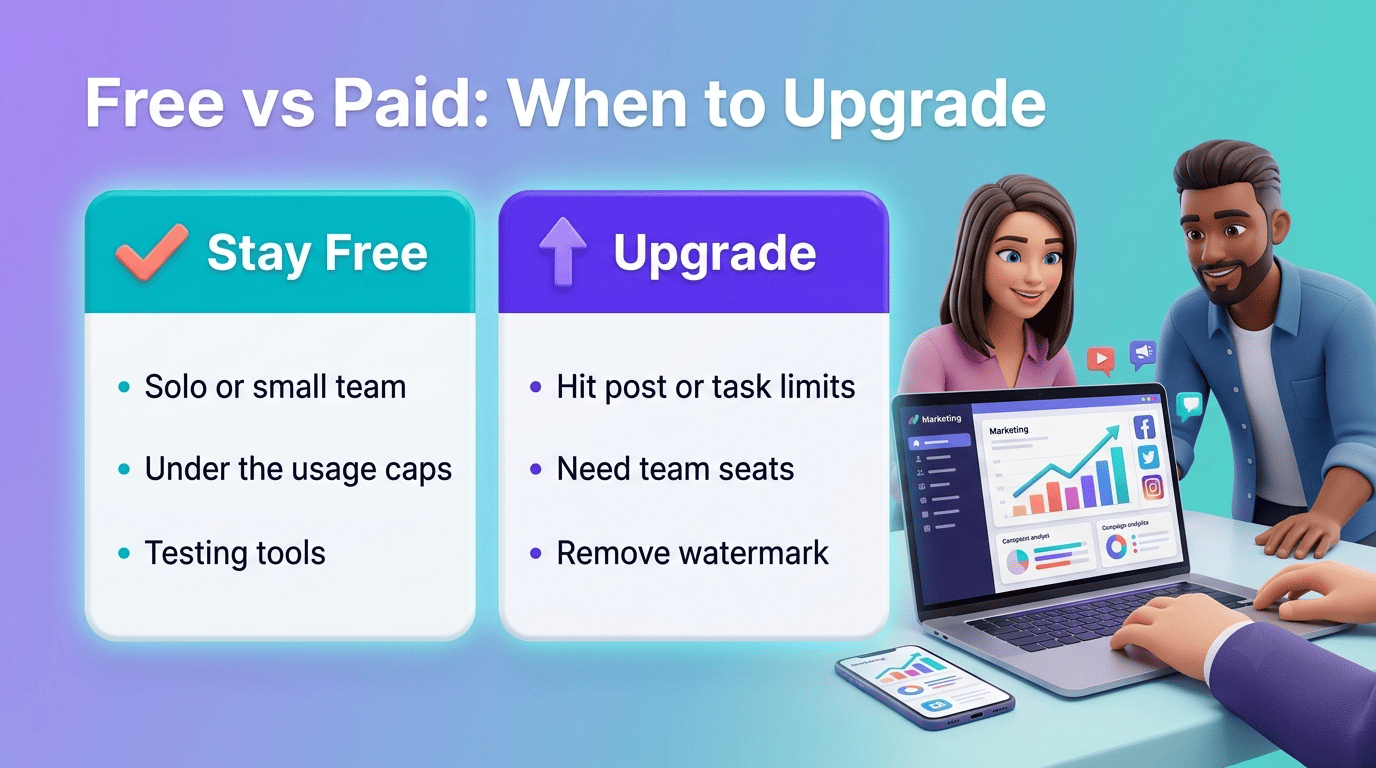
For a solo marketer or a small business running a handful of campaigns a month, this free stack is frequently sufficient on its own. The signals that you’ve outgrown it are concrete: posting more than 10 times per channel, running past 100 monthly automations, needing a second team member with editing access, or requiring a video export without a watermark for a client deliverable.
Free vs Paid: When to Upgrade
Building a genuinely free stack first — before evaluating any best AI marketing tools paid tier — keeps spending tied to actual bottlenecks instead of hypothetical future needs.
Signs you’ve outgrown the free tier
- You’ve hit a hard usage wall: Buffer’s 10 posts, Zapier’s 100 tasks, or Runway’s 125 credits are gone before the month ends.
- You need real collaboration — multiple seats, shared workspaces, or approval workflows.
- A watermark on Descript exports or Runway videos is undermining a client-facing deliverable.
- The project needs commercial usage rights that the free tier doesn’t grant (common with generated images and video).
When any of these show up consistently, upgrading that one specific tool usually pays for itself in saved time faster than switching platforms entirely.
Build a zero-cost stack first
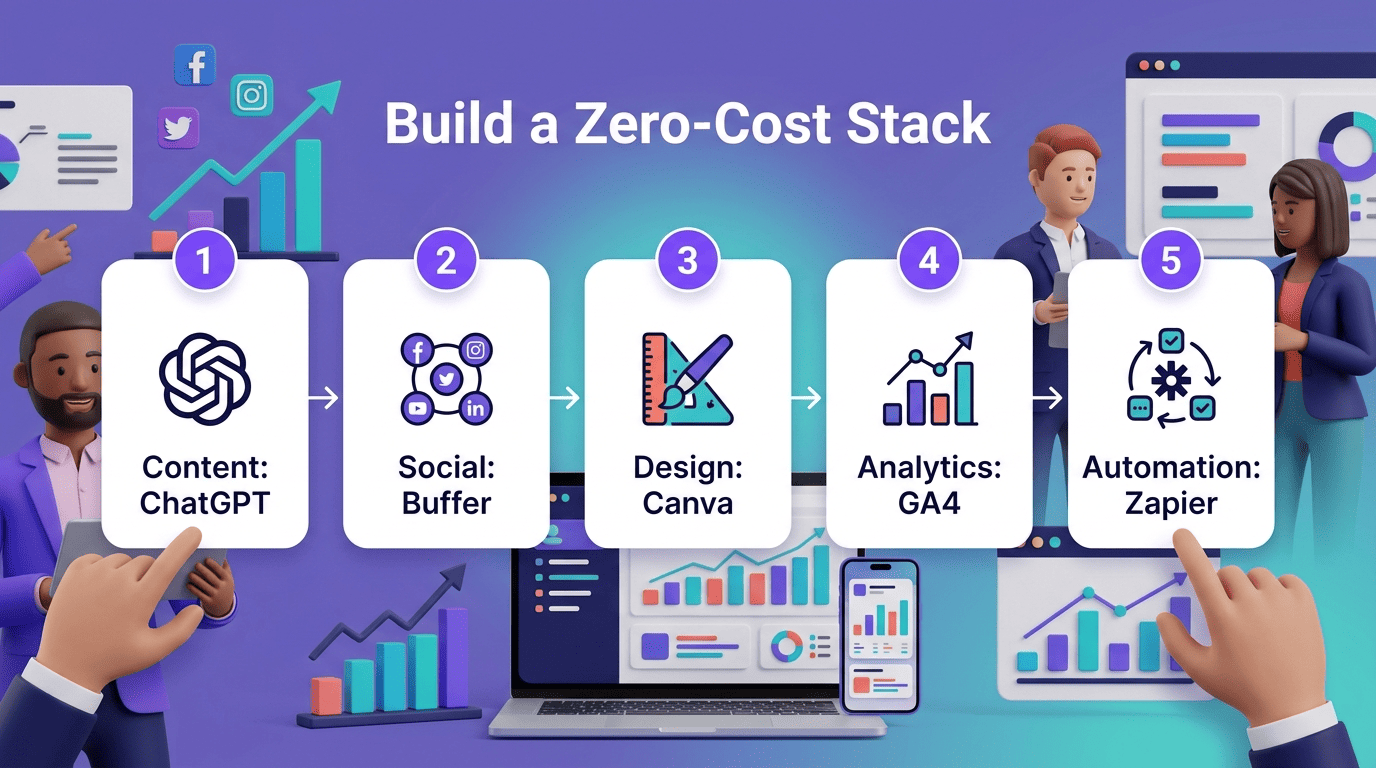
The practical order is: assemble one free tool per category (content, social, design, analytics, automation), run it against a real campaign for a month, and only upgrade the individual tool that actually hits its ceiling. Upgrading the whole stack preemptively almost always means paying for capacity you’re not using in categories that never got close to their free limits.
Related AI marketing tool guides
Building a full stack? Explore AI content creation tools and AI marketing tools for SEO to round out your workflow across the marketing funnel.