
AI Marketing Tools for Graphic Design and Images: Best Picks for 2026
A new generation of AI marketing tools turns a text prompt into on-brand ads, social graphics, product shots, logos, and vector art in seconds — no designer or stock budget required. According to Wikipedia, a text-to-image model is a machine learning system that takes a natural-language description and produces a matching image, and that underlying technology is now what powers most of the AI graphic design tools marketers use daily. This guide ranks the best AI graphic design and image tools by what they’re actually good at, what they cost, and which marketing job each one fits.

The AI-powered graphic design market is valued at roughly $5.38 billion and growing at a 32.3% annual rate, and more than half of Canva’s active users now rely on its AI tools for day-to-day content production. Below, you’ll find the tools broken down by type, a side-by-side pricing comparison, real use cases, and a checklist for choosing the right AI design software for your team.
Why Marketers Use AI for Graphic Design
Marketing teams have always faced the same bottleneck: creative production is slow, and stock imagery rarely matches the brand. AI image generators solve both problems by turning a text brief into finished assets almost instantly, which is why an AI image generator is now widely treated as a core type of AI marketing tool rather than a novelty.
The generative AI in creative industries market will grow from $4.06 billion in 2025 to $5.38 billion in 2026 at a compound annual growth rate of 32.3%, driven by demand for faster, more scalable creative production across marketing and design teams.
Research and Markets
Speed, cost, and scale
Instead of waiting hours or days for a designer to mock up a concept, marketers can generate dozens of creative variations in minutes and pick the strongest performer. AI-first marketing teams report roughly 44% higher productivity and about 22% better ROI than teams still working manually, largely because it becomes cheap to test many ad and social-post variants before committing budget to one.
Adoption is already mainstream
Canva alone counts over 220 million users, and Canva reports that more than half of its active users now use its AI features for day-to-day content production. That scale of adoption signals AI graphic design tools have moved from experimental to standard practice inside marketing workflows, not just among large enterprise teams but also solo marketers and agencies running lean.
The Types of AI Graphic Design & Image Tools
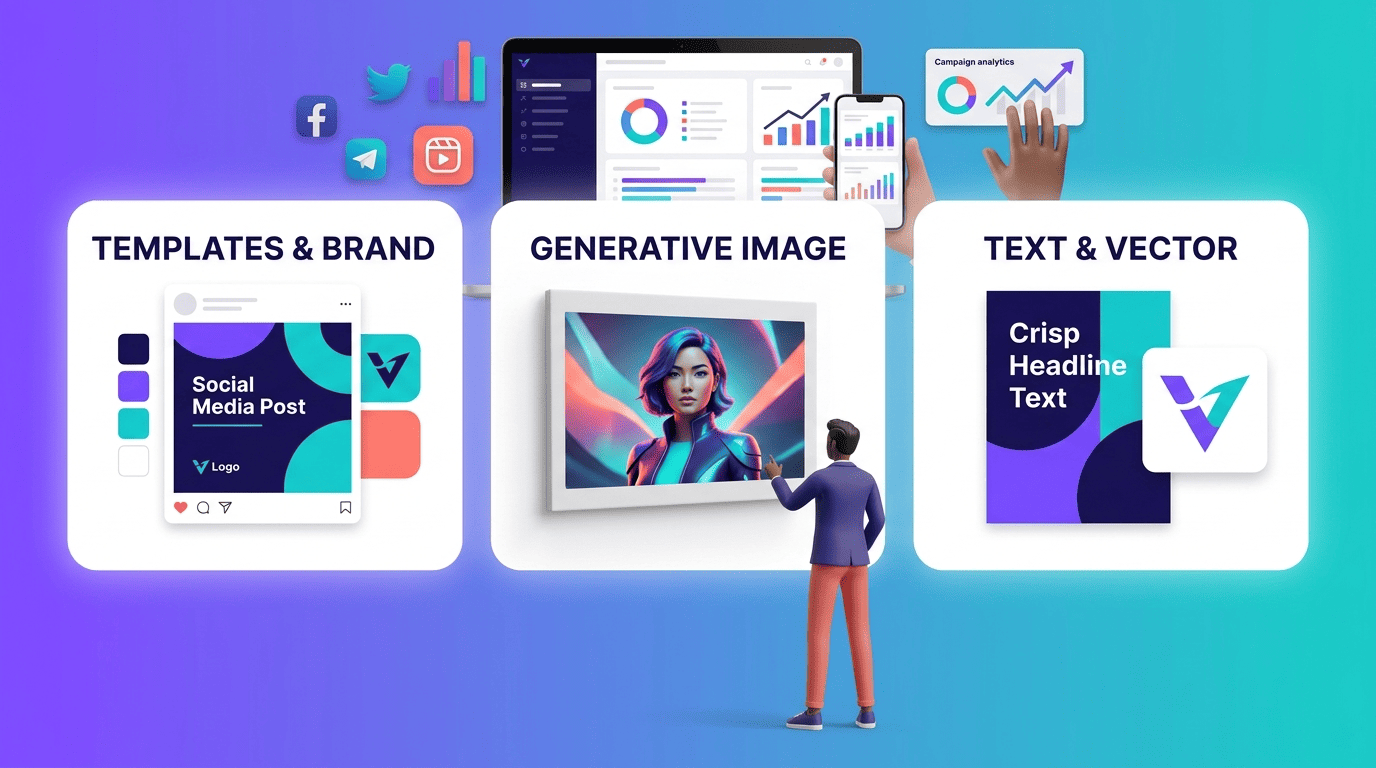
Not every AI image generator solves the same problem. Before comparing individual products, it helps to know the three broad categories marketing teams pull from, since the right pick depends heavily on the specific creative job at hand — a fast social template versus a premium hero image versus a scalable vector logo are three different needs.
Marketing-first all-in-one (templates + brand)
Canva Magic Studio, Adobe Express with Firefly built in, and Freepik AI Suite are built around templates and brand kits rather than raw image generation. They’re designed so a marketing team can plug in brand colors, fonts, and logos once, then churn out on-brand social posts, ad variants, and presentations quickly without a dedicated designer reviewing every asset.
High-quality generative image
Get the strongest raw visual quality. Midjourney remains the benchmark for artistic, editorial-grade output and is the default choice when a campaign needs a striking hero image rather than a quick template swap. Prioritize cost efficiency at scale. Reve ranks among the top models on the Artificial Analysis image-generation benchmark and runs roughly $0.01-0.02 per image depending on the provider, making it viable for teams generating large volumes of creative. Keep full control over the pipeline. Stable Diffusion and FLUX are open-source, so teams that need to self-host, fine-tune, or avoid per-image fees can run them on their own infrastructure. Train a model on your own brand assets. Leonardo.ai supports custom model training on product photography and brand imagery, which keeps output visually consistent across a campaign.
Text-in-image & vector
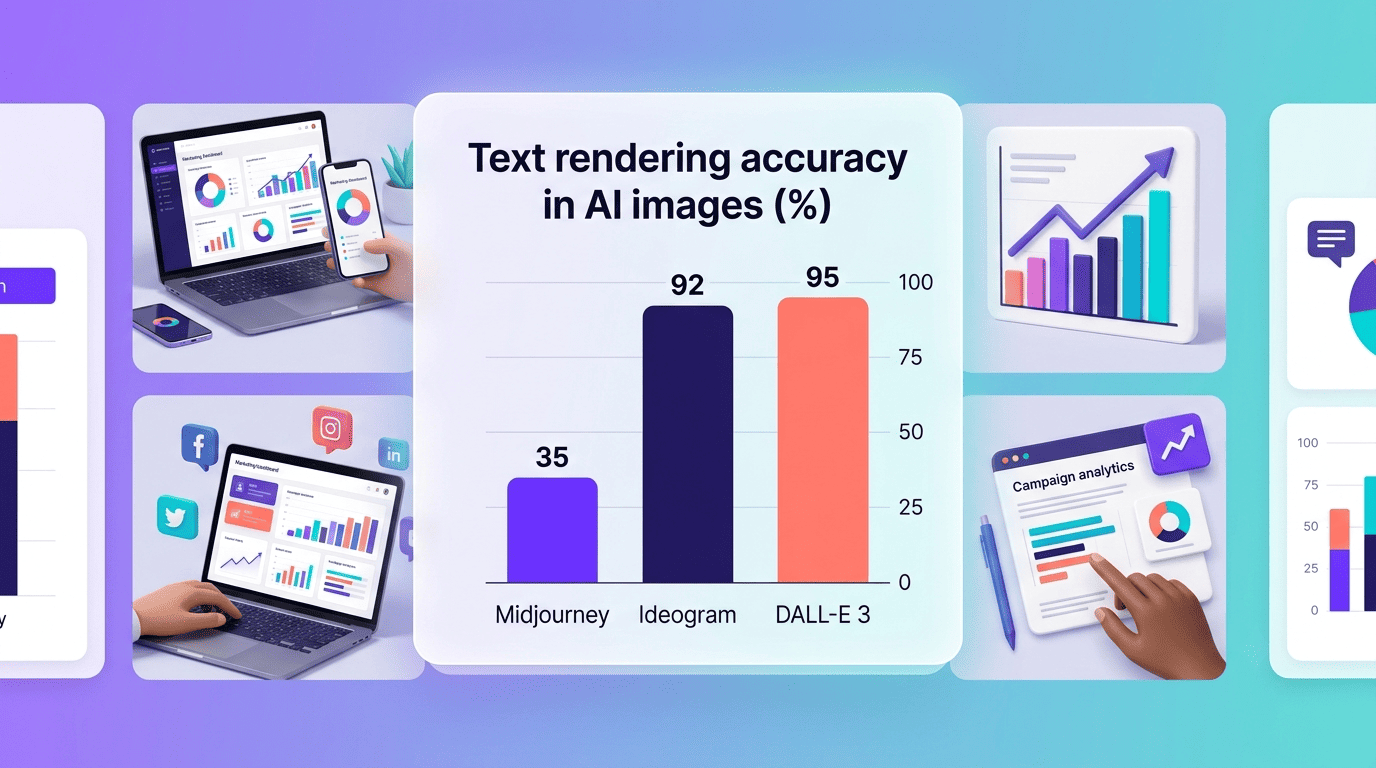
Ideogram and DALL-E 3 (accessed through ChatGPT) are the two AI image generators marketers reach for when a design needs legible text — a headline on a poster, a price on a banner, a slogan on a social tile. Ideogram renders text accurately roughly 90-95% of the time, compared with about 30-40% for Midjourney on the same kind of prompt, which is a meaningful gap for anyone shipping text-heavy ad creative. Recraft and Kittl take a different approach, generating editable vector and SVG output rather than flat raster images, which matters for logos and icons that need to scale cleanly across print, web, and packaging.
Best AI Marketing Tools for Graphic Design and Images (Comparison)
| Tool | Best for | Free plan | Paid from |
|---|---|---|---|
| Adobe Firefly | Commercially safe assets | Free credits | $9.99/mo |
| Midjourney | High-end visual quality | No | $10/mo |
| DALL-E 3 (ChatGPT) | Text in images | Limited in free ChatGPT | $20/mo (ChatGPT Plus) |
| Ideogram | Typography-heavy graphics | Limited free tier | $7/mo |
| Canva Magic Studio | Marketing teams / templates | Yes | $15/mo |
| Leonardo.ai | Brand-consistent variations | 150 tokens/day | $12/mo |
| Recraft | Vector and logo output | Limited free tier | Paid plans available |
Adobe Firefly — best for commercially safe assets
Adobe Firefly is trained on licensed Adobe Stock content and Adobe-owned or public-domain material, which is why Adobe offers IP indemnification on Firefly-generated output for paying customers — a meaningful protection for brands running paid campaigns. It’s also built into Photoshop’s Generative Fill, so designers can extend, retouch, or remove elements from existing photos without leaving their normal workflow. Adobe’s Creators’ Toolkit Report found 86% of creators surveyed already use generative AI tools, and Firefly holds a 4.6-out-of-5 rating across roughly 330 reviews on G2. Paid plans start at $9.99 per month. You can see the current feature set and licensing terms directly on Adobe’s official Firefly product page.
Midjourney — best for high-end visual quality
Midjourney is the tool most marketers reach for when a campaign needs premium, editorial-quality visuals rather than a fast template output. Pricing runs from about $10 to $30 per month depending on generation volume, which works out to roughly $0.01 per image on the cheaper tiers. Its main weakness is text rendering — legible words in an image are still inconsistent, so it’s rarely the right pick for a banner or poster that needs a headline baked in.
DALL-E 3 (ChatGPT) — best for text in images
DALL-E 3, accessed through ChatGPT, renders short text strings in images reliably and tends to follow detailed prompts closely, which makes it a strong choice for product mockups with visible labeling or copy. Ideogram is the more specialized pick for longer, typography-heavy text (90-95% accuracy), but DALL-E 3’s prompt comprehension is generally sharper for complex, multi-element scenes. It’s bundled into ChatGPT Plus at $20 per month rather than sold as a standalone product.
Ideogram — best for typography-heavy graphics
Ideogram specializes in typography-heavy graphics — posters, banners, and social tiles where the words are as important as the imagery. It renders text accurately 90-95% of the time and starts at $7 per month, making it one of the cheaper entry points among the text-capable generators.
Canva Magic Studio — best for marketing teams
Canva Magic Studio wraps AI generation inside Canva’s existing template and brand-kit system, including Magic Layers for isolating and editing individual image elements. With over 220 million users, it has the widest reach of any tool on this list among marketing teams specifically. Canva Pro runs $15 per month.
Leonardo.ai — best for brand-consistent variations
Leonardo.ai lets teams train custom models on their own product photography and brand imagery, so repeated generations stay visually consistent instead of drifting in style from one image to the next. It offers 150 free tokens per day, with paid plans starting around $12 per month.
Recraft — best for vector and logo output
Recraft generates editable vector and SVG files rather than flat raster images, which is the key differentiator for logo and icon work that needs to scale without quality loss. It has around 3 million users and has produced more than 350 million images, with a benchmark ELO score of 1,172 placing it competitively among image-generation models.
Pricing and Free Plans
Most AI graphic design tools follow a familiar structure: a limited free tier to test the product, then a paid subscription once you need higher volume, higher resolution, or commercial licensing. Picking the wrong tier for your workload is one of the most common ways marketing teams overspend on AI tools for marketing, so it’s worth comparing entry pricing before committing.
| Tool | Entry price | Free tier |
|---|---|---|
| Midjourney | $10-30/mo | No |
| DALL-E 3 (ChatGPT Plus) | $20/mo | Limited, via free ChatGPT |
| Canva Pro | $15/mo | Yes |
| Adobe Firefly | $9.99/mo | Free credits |
| Ideogram | $7/mo | Limited |
| Leonardo.ai | $12/mo | 150 tokens/day |
| Reve | ~$0.01-0.02/image | Trial credits |
What free tiers give you
Leonardo’s 150 daily tokens, Canva’s free plan, Adobe Firefly’s starter credits, and DALL-E’s limited access inside free ChatGPT all give marketers a genuine way to test a tool before paying. The catch on most free tiers is a combination of the following limits — fine for testing concepts, but rarely enough for production-ready campaign assets:
- Watermarks on exported images.
- Resolution caps that fall short of print or high-res ad specs.
- Daily or monthly credit limits that reset before a full campaign is built.
- No access to commercial licensing or indemnification until you upgrade.
Cost per image and monthly plans
Reve’s roughly $0.01-0.02 per image is well below Midjourney’s lower-tier per-image cost, which matters most for teams generating high volumes of ad variants for testing. Entry-level plans across the category generally sit between $7 and $13 per month, and paying annually typically brings the effective monthly rate down further.
Use Cases: Which Tool for Which Job
The right AI image generator depends less on which tool is “best” overall and more on what specific asset you’re producing. Here’s how the use cases map to the tools above:
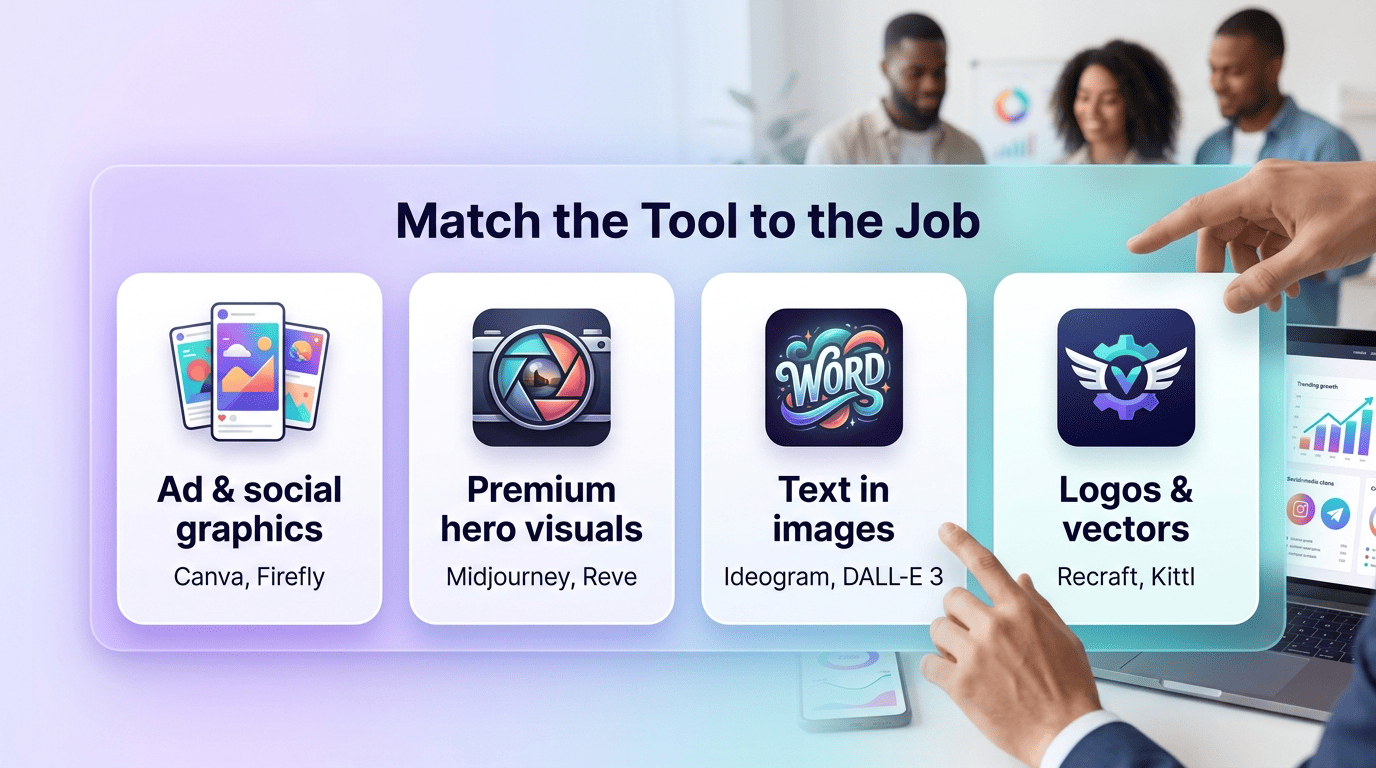
- Ad creative and social graphics → Canva, Adobe Firefly, Midjourney, or Reve.
- Text-heavy banners and posters → Ideogram or DALL-E 3.
- Logos and icons → Recraft or Kittl.
- Brand-consistent product visuals across a campaign → Leonardo.ai.
Ad creative and social graphics
Canva and Adobe Firefly are the fastest paths to a finished social post or ad variant, especially when speed and brand-kit consistency matter more than raw artistic quality. Midjourney and Reve are better suited to premium visuals where the creative itself needs to stand out. Mercado Libre reported a 25% increase in click-through rate after switching to AI-generated ad creative, an example of the kind of performance lift that pushes marketing teams toward these tools in the first place.
Text, logos, and vectors
Ideogram and DALL-E 3 are the go-to choices whenever an image needs accurate embedded text — a promo banner, a poster headline, a product label mockup. Recraft and Kittl instead output vector and SVG files, which is what you want for logos and icons that need to scale across formats without losing quality.
Commercial Safety and Copyright
Not every AI image generator carries the same legal risk when used in paid, public-facing campaigns. This is one of the areas where the choice of tool genuinely changes your exposure, not just your output quality.
Licensing and indemnification
Adobe Firefly’s training data comes from licensed Adobe Stock content, which is why Adobe backs Firefly output with commercial indemnification — an important protection for brands running paid ad campaigns where copyright disputes could be costly. Models trained on broader web-scraped datasets generally don’t offer that same guarantee, so it’s worth checking a tool’s licensing terms before publishing generated images in a paid campaign.
Provenance and disclosure
Content Credentials, built on the C2PA standard described at contentcredentials.org, attach metadata to an image documenting how and where it was created, including whether AI was involved. As platforms and regulators push for more disclosure around AI-generated content, adopting AI marketing software that supports Content Credentials makes it easier to stay ahead of transparency requirements rather than scrambling to retrofit them later.
How to Choose the Right AI Design Tool
There’s no single “best” AI graphic design tool — the right pick depends on the job, the team, and the risk tolerance around commercial use. Use the checklist below to narrow the list before subscribing to anything.
- Identify the primary output type — social graphics, ad creative, product shots, logos, or vector art.
- Check whether the job needs embedded text; if so, prioritize Ideogram or DALL-E 3 over Midjourney.
- Decide whether brand consistency across many images matters enough to justify custom model training (Leonardo.ai).
- Confirm the tool’s commercial licensing and indemnification terms before using output in paid ads.
- Compare free-tier limits — watermarks, resolution caps, and daily credits — against your actual production volume.
- Check for integrations with existing tools like Photoshop, your CMS, or your ad platform.
- Pick a paid plan only after testing the free tier on a real campaign brief, not a generic prompt.
Match the tool to the job
Text-heavy assets point to Ideogram or DALL-E 3; premium visual quality points to Midjourney or Reve; template-driven team workflows point to Canva; commercial-safety-sensitive campaigns point to Adobe Firefly; scalable vector and logo work points to Recraft. Few marketing teams end up using just one tool — most combine two or three based on the asset type.
Checklist before you subscribe
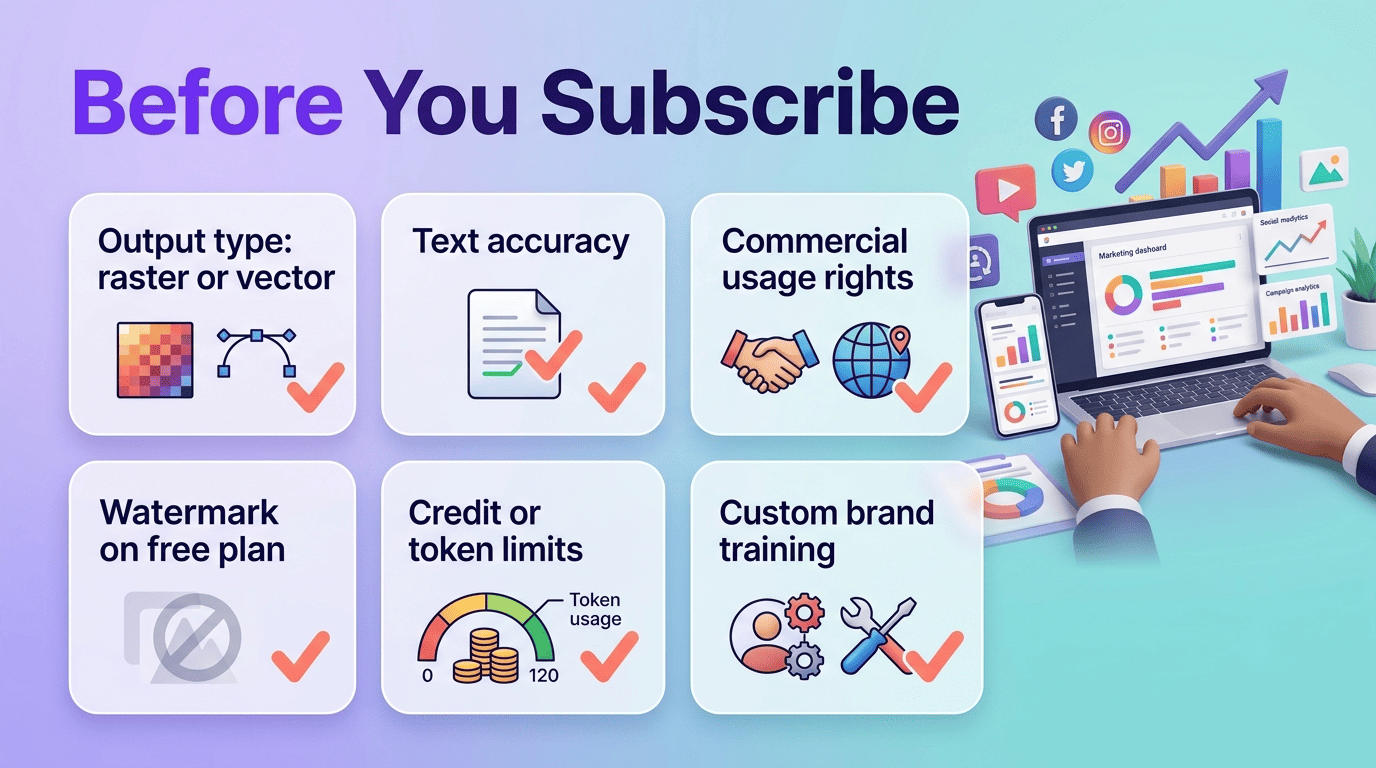
- Output format: raster image versus editable vector/SVG.
- Text-rendering accuracy, if the asset includes copy or a headline.
- Commercial usage rights and indemnification for paid ad campaigns.
- Watermarks or resolution caps on the free tier.
- Monthly credit or token limits relative to your production volume.
- Integrations with Photoshop, your CMS, or your ad platform.
- Availability of custom model training for brand-specific output.
Related AI marketing tool guides
Building a full stack? Explore AI content creation tools and AI video creation tools to round out your workflow across the marketing funnel.