
AI Marketing Tools for Video Creation: The Best Options in 2026
Video is the highest-converting format in marketing, and a new class of AI marketing tools now generates finished marketing videos from a script, a blog URL, or a single text prompt — in minutes instead of days. This guide breaks down the best AI video marketing tools by category, what they actually cost, and how to match one to the video you need to make.

The shift isn’t hypothetical. Wyzowl’s video marketing research found that 91% of businesses already used video in their marketing back in 2024 — a figure that has held near that all-time high since — and AI now cuts production time by as much as 70% while removing the $1,000–$5,000 a traditional agency-produced clip typically costs. Below: tools by type, a side-by-side pricing table, and what to check before you subscribe.
Why Marketers Are Switching to AI Video Tools
A talking-head explainer that once meant booking a studio, a presenter, and an editor now takes a script and a few clicks. AI video tools reduce production time and cost by automating the parts that used to require a crew — casting, filming, voiceover, and editing all collapse into a single software workflow, which is why video marketing budgets are moving toward AI-first production faster than almost any other marketing category. A typical traditional shoot involves steps that AI tools now compress into one pass:
- Booking a videographer, studio space, and on-camera talent
- Scheduling shoot days around everyone’s availability
- Recording multiple takes and B-roll footage
- Hiring a voice actor or recording narration separately
- Sending footage to an editor and waiting on revisions
- Producing separate localized versions for each target language
Speed and cost
An AI-generated marketing video can go from script to finished export in under 10 minutes, including basic editing, captions, and voiceover. Compare that to a traditionally produced explainer video, which commonly runs $1,000 to $5,000 or more once you factor in a videographer, actors, and post-production. The gap isn’t marginal — it’s the difference between testing five video variants in an afternoon and commissioning one video over two weeks.
The shift is already mainstream
More than half of marketers now report using AI for video content in some form, according to HubSpot’s State of AI Marketing research. This isn’t a fringe tactic anymore; it’s baseline tooling for teams that publish video regularly.
91% of businesses now use video as a marketing tool — the highest level since we started tracking this in 2016.
Wyzowl, State of Video Marketing Report
Adoption at this scale changes what “competitive” looks like for a marketing team. If most of the market is already producing more video at lower cost, sitting out isn’t a safe default — it’s a gap that shows up in engagement numbers.
The Three Types of AI Video Marketing Tools
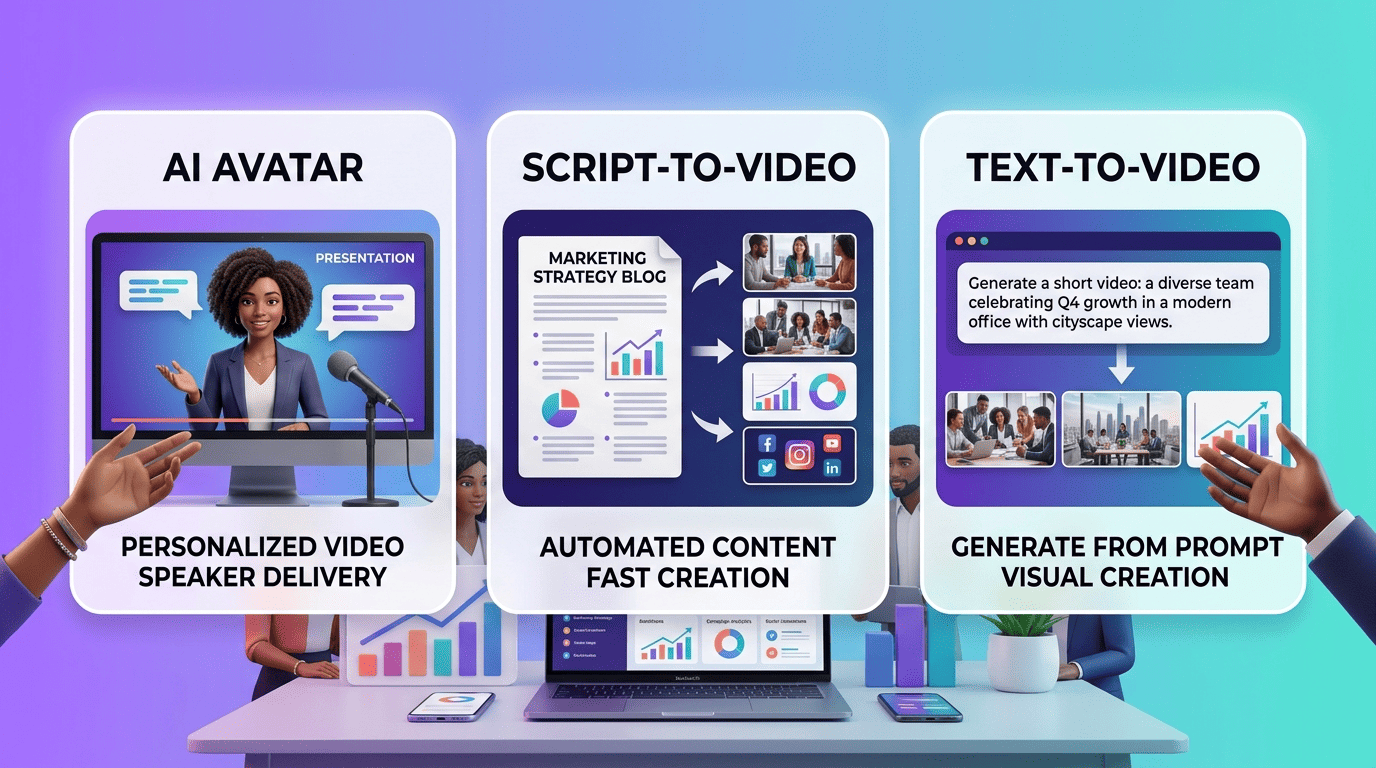
Not every AI video marketing tool solves the same problem, and picking the wrong category is the most common mistake teams make. Broadly, the market splits into three types: avatar-based presenters, script-to-video converters, and generative text-to-video engines. Each is built for a different job.
1. Avatar / talking-head generators
These tools turn a written script into a presenter-led video: you type text, pick an AI avatar presenter tool’s on-screen character, and it delivers your script on camera with synced lip movement and voiceover. Synthesia, HeyGen, Colossyan, and Steve.AI all fall in this category. They’re the default choice for training videos, HR communications, and product explainers — anything that benefits from a consistent human face. Synthesia alone ships with 230+ avatars and support for more than 160 languages.
2. Script-to-video & content repurposing
A script-to-video converter takes a blog post URL, a script, or raw text and assembles a video from stock footage, auto-generated captions, and AI voiceover — no avatar involved. Pictory, invideo AI, and Lumen5 are built for this: turning long-form content into short social clips at scale. This category is the fastest way to repurpose an existing content library into video without shooting anything new.
3. Generative text-to-video & AI editing
The third category generates video frames directly from a text prompt rather than assembling existing footage. Google Veo, Runway, and Adobe Firefly fall here, alongside Descript, which edits existing video by editing its transcript. According to Wikipedia’s overview of text-to-video models, these systems are trained to synthesize video directly from natural-language descriptions — a fundamentally different process from stitching together stock clips. Google’s own Veo model page details how its latest version handles native audio generation alongside video, which is what lets tools like invideo AI produce prompt-to-video clips with sound built in.
Best AI Marketing Tools for Video Creation (Comparison)
| Tool | Type | Best for | Free plan | Paid from |
|---|---|---|---|---|
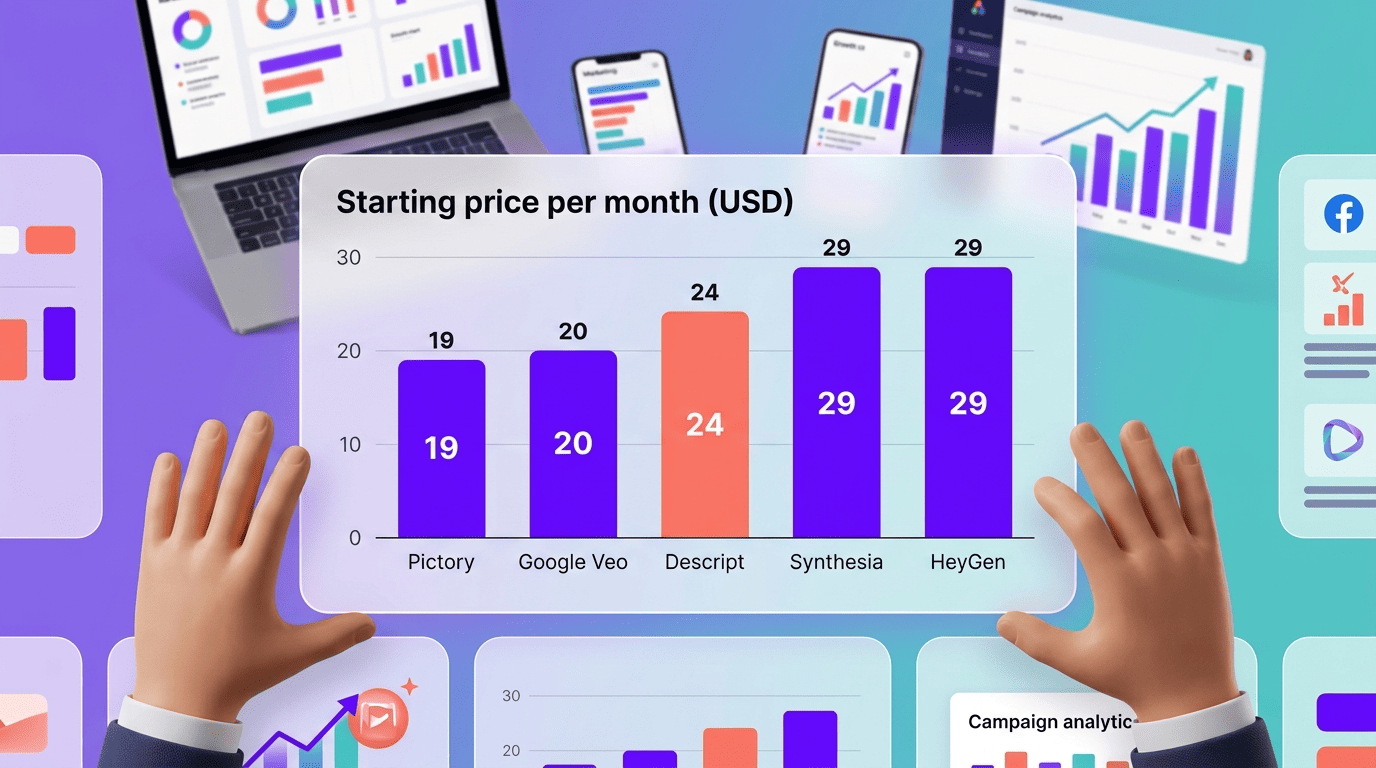
| Synthesia | AI avatar | Avatar-led training & marketing videos | 10 min/month | ~$29/mo |
| HeyGen | AI avatar | Multilingual avatars at scale (175 languages) | Free trial | $29/mo |
| Pictory | Script-to-video | Turning blog posts into short videos | Limited trial | $19–25/mo |
| invideo AI | Script-to-video / generative | Prompt-to-video for social | Free with watermark | ~$20/mo |
| Google Veo | Generative text-to-video | Photoreal generative footage | Limited free monthly credits | $19.99/mo (Google AI Pro) |
| Descript | AI editing | Editing video like a text document | 1 hour free | ~$24/mo |
| Runway / Adobe Firefly | Generative / creative | Creative generation & commercially-safe assets | Limited free credits | ~$10–35/mo |
Synthesia — best for avatar-led marketing videos
Synthesia offers 230+ AI avatars, voiceover in 160+ languages, and 1,000+ synthetic voices, with a free plan capped at 10 minutes of video per month and access to 9 avatars. It’s used by roughly 90% of the Fortune 100 and over 50,000 companies, and holds a 4.7 rating on G2. One detail that trips teams up: stock-avatar videos cannot be used in paid advertising under Synthesia’s terms — only custom-built avatars are cleared for ads.
HeyGen — best for multilingual avatars at scale
HeyGen supports 175 languages and ships with 1,100+ avatars, making it the stronger pick when localization breadth matters more than avatar variety. Plans start around $29/month, with a free trial available to test output quality first.
Pictory — best for turning blogs into short videos
Pictory is built specifically for taking existing blog content and converting it into short-form video, with plans running $19–25/month depending on the tier, and monthly video-minute allowances between 200 and 600 minutes.
invideo AI — best for prompt-to-video for social
invideo AI has scaled to roughly 50 million users across 190+ countries, and now integrates Google Veo 3.1 for generative clips. It supports 50+ languages and draws from a stock library of 16 million-plus clips, with strong ratings on both Capterra and G2.
Google Veo — best for generative, photoreal footage
Google’s Veo 3.1 model is accessible through Google AI Pro at $19.99/month, which includes 1,000 generation credits and export up to 4K resolution — though clips still carry a visible watermark on this tier; only the pricier Google AI Ultra plan removes it. It’s available through Google Flow, Google Vids, and Gemini rather than as a standalone product.
Descript — best for editing video like a document
Descript’s core idea is editing by editing text: cut a word from the transcript and it disappears from the video. It includes overdub for voice correction, automatic filler-word removal, and auto-generated subtitles, with a free tier covering one hour of transcription.
Runway & Adobe Firefly — best for creative and commercially-safe generation
Runway’s Gen-4.5 model has scored at the top of several blind-comparison video generation tests, making it a strong pick for teams chasing cutting-edge generative quality. Adobe Firefly, by contrast, is trained exclusively on licensed Adobe Stock content and comes with IP indemnification — a meaningful difference for brands that need legal cover on generated assets used in paid campaigns.
Pricing and Free Plans
Pricing across AI video marketing tools clusters into two tiers: entry-level plans around $15–20/month, and mid-tier plans at $30–50/month for higher output limits, more avatars, or commercial usage rights. Paying annually instead of month-to-month typically saves 30–50% over the course of a year.
What free plans actually give you
Synthesia’s free plan caps out at 10 minutes of video per month with access to 9 avatars — enough to test the workflow, not enough to run a campaign. Google AI Pro’s free tier includes a limited pool of AI credits refreshed each month, enough for a handful of short Veo clips before you hit the wall. invideo and FlexClip offer free plans too, but exports carry a watermark. That watermark, more than any minute limit, is usually the real catch: free-tier video is rarely publishable as-is.
| Tool | Free plan limit | Watermark on export |
|---|---|---|
| Synthesia | 10 min/month, 9 avatars | No |
| Google AI Pro (Veo) | Limited monthly credits | Yes |
| HeyGen | Free trial only | Yes |
| invideo AI | Unlimited drafts | Yes |
| Descript | 1 hour of media/month | Yes |
How much you’ll really pay
Entry-level plans run $15–20/month and cover individual creators or light usage. Mid-tier plans at $30–50/month unlock higher video-minute caps, more avatar or voice options, and in some cases commercial licensing for stock avatars. Annual billing consistently undercuts month-to-month pricing by 30–50%, so teams committing to ongoing video production should default to yearly plans.
How to Choose the Right AI Video Tool
Choosing among AI-powered marketing tools comes down to a short list of practical criteria: interface complexity, built-in AI scriptwriting, template libraries, editing depth, pricing structure, and multilingual support. None of these matter in isolation — they matter relative to the specific video you’re trying to produce.
Match the tool to the video type
An avatar-based tool is the right call for training material, HR announcements, and talking-head explainers where a consistent presenter builds trust. A script-to-video converter fits content repurposing — turning a blog archive into a stream of short social clips. A generative tool is the pick when the goal is creative, attention-grabbing footage that doesn’t exist yet. There’s no single best AI video generator across all three use cases — the category should follow the job, not the other way around.
- Training or onboarding content → avatar / talking-head generator (Synthesia, HeyGen)
- Repurposing a blog or podcast into social clips → script-to-video converter (Pictory, invideo AI)
- Original ad creative or brand campaigns → generative text-to-video (Google Veo, Runway)
- Cleaning up an existing recorded video → AI editing tool (Descript)
Checklist before you subscribe
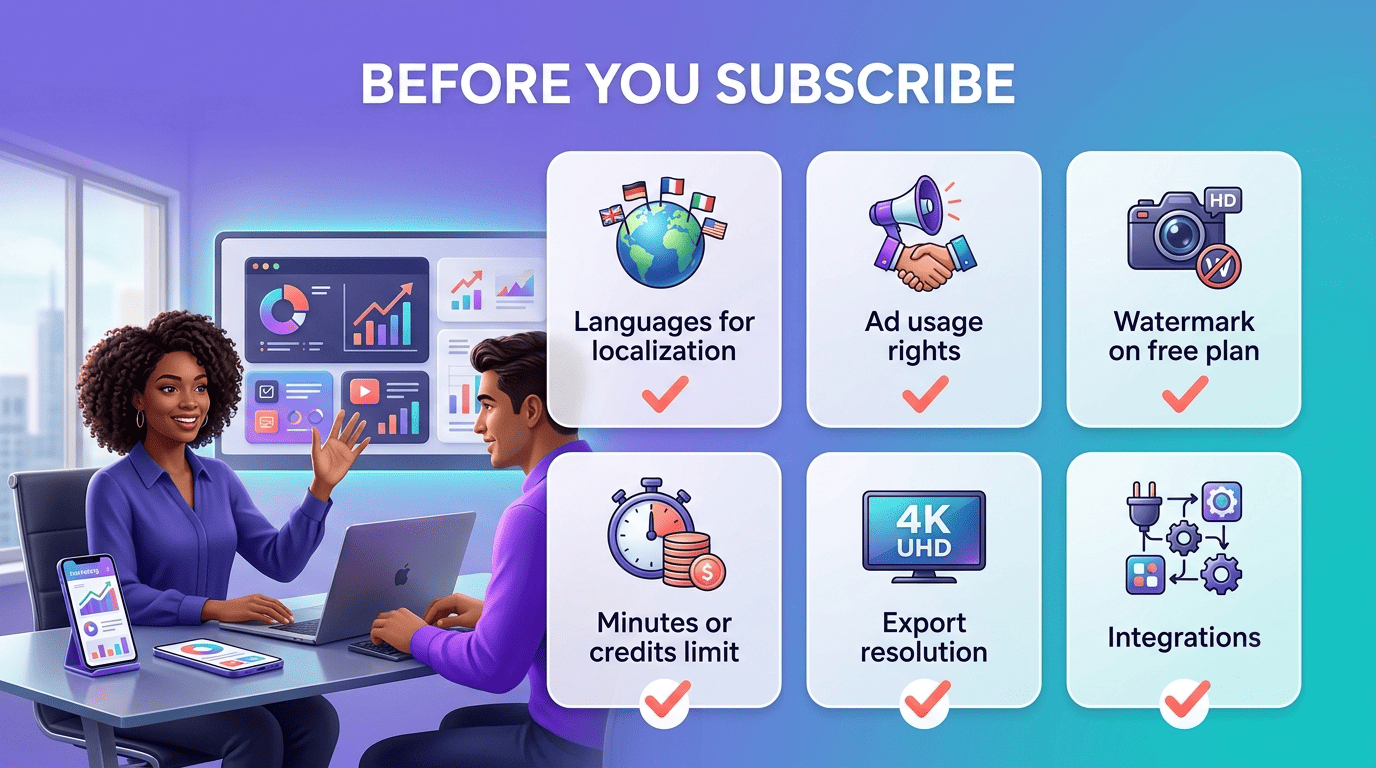
- Confirm the language list covers every market you localize for.
- Check the usage license — Synthesia’s stock avatars, for example, are barred from paid ads while custom avatars are cleared.
- Look for a watermark on the free tier; it usually means the output isn’t ad-ready.
- Note the monthly minute or credit limit and compare it to your actual output volume.
- Verify export resolution — some free and entry plans cap out below 1080p, others go up to 4K.
- Check integrations with your existing stack (CMS, ad platforms, social schedulers).
- Test the free tier with a real script before committing to an annual plan.
Limitations and Best Practices
AI video tools have gotten fast, not flawless, and knowing where they still fall short saves a rewrite later.
Where AI video still falls short
AI avatars can still look slightly unnatural in lip-sync and micro-expressions, especially in longer takes. Generative video carries a separate risk: copyright exposure. Disney, Universal, and Warner Bros. Discovery filed suit over MiniMax’s Hailuo model generating outputs resembling their copyrighted characters, a case that underscores why teams should verify licensing and provenance before publishing AI-generated footage in a paid campaign. Tools built around Content Credentials (C2PA) attach verifiable metadata to AI-generated media, which is becoming a practical way to document how a video was made if its origin is ever questioned.
Before leaning on AI video for a campaign, it’s worth planning around a few recurring gaps:
- Avatar lip-sync and expressions can still read as slightly off in close-up, longer takes
- Generative footage of copyrighted characters or brands carries real legal risk
- Stock-avatar videos are often barred from paid advertising by the platform’s own terms
- Free-tier exports usually carry a visible watermark, ruling out client-ready delivery
- Fine motor detail (hands, complex objects) remains a weak point for generative models
Best practices for marketing videos
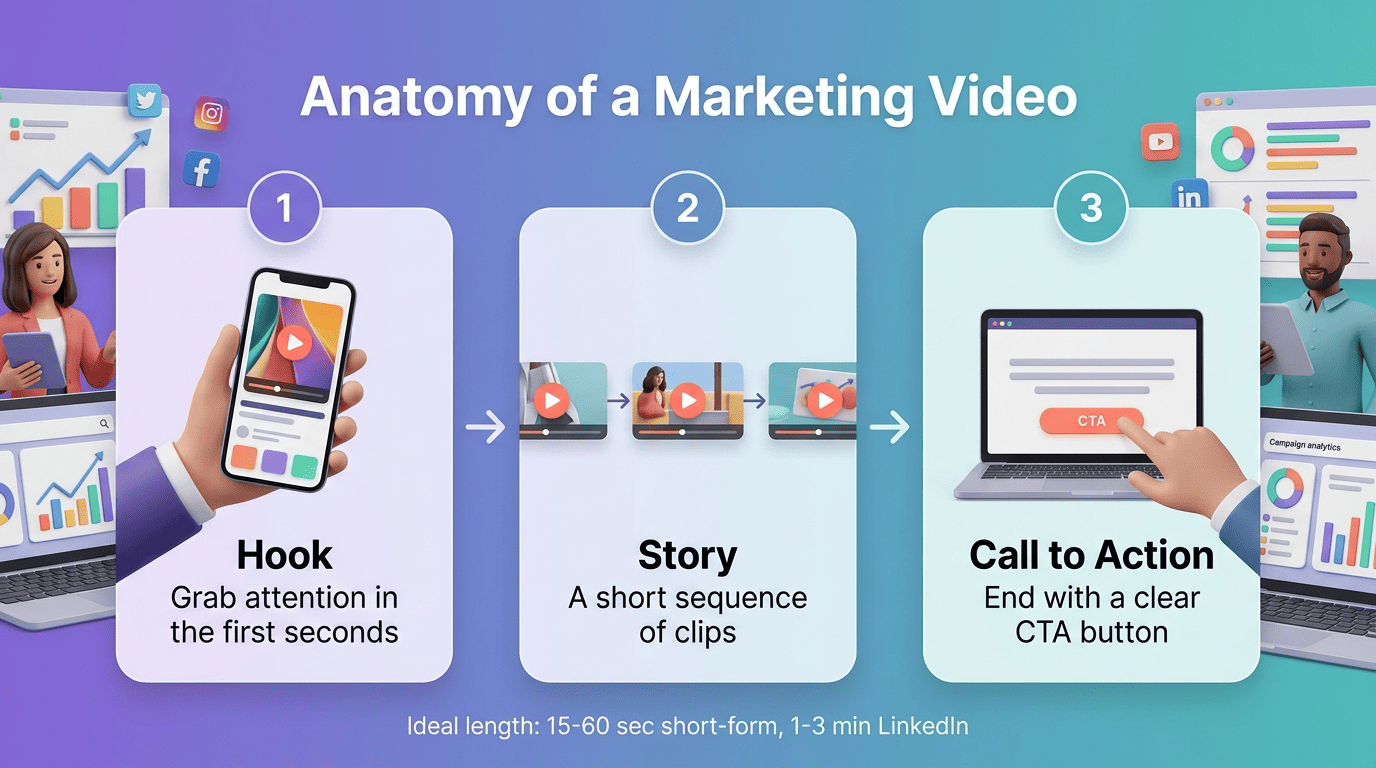
Keep short-form social videos in the 15–60 second range, and cap LinkedIn or in-feed videos at 1–3 minutes — attention drops sharply past that window. Open with a hook in the first few seconds rather than a logo or intro, close with a clear call to action, and favor storytelling over a hard sell; data consistently shows narrative-driven video outperforms straight product pitches. If your audience spans regions, use the multilingual voiceover options built into most of these platforms rather than producing separate videos per language — pair the right AI marketing assistant with a localization workflow and one script can ship in a dozen languages the same day.
Quick rules of thumb that hold across most AI-generated marketing videos:
- 15–60 seconds for short-form social, 1–3 minutes for LinkedIn or in-feed placements
- Hook the viewer in the first 2–3 seconds, before any logo or intro
- End on a specific call to action, not a generic sign-off
- Lead with a story or problem, not a product pitch
- Localize with AI voiceover rather than reshooting per market
The FTC’s guidance on endorsement and disclosure in social media marketing also applies to AI-generated video featuring synthetic presenters — if the content functions as an ad or endorsement, standard disclosure rules still apply regardless of whether the presenter is human or synthetic.
Related AI marketing tool guides
Building a full stack? Explore AI social media marketing tools and AI graphic design and image tools to round out your workflow across the marketing funnel.